Introduction
The classic 7-segment display is relatively small at only about 0.5" × 0.5", but it has a relatively simple construction — put 7 LEDs in the right place and you can make your very own 7-segment display.
This is intriguing — how big could you go? In this project, that question is answered. Although these 7-segment displays could be used for a variety of different tasks, the use case in this project is to display the time using a RTC (Real Time Clock).
The segments themselves are fully modular so repurposing them is trivial.
7-Segment Design
The classic 7-segment display has seven different discrete LEDs each individually controllable. The goal is to simulate this effect, just larger.
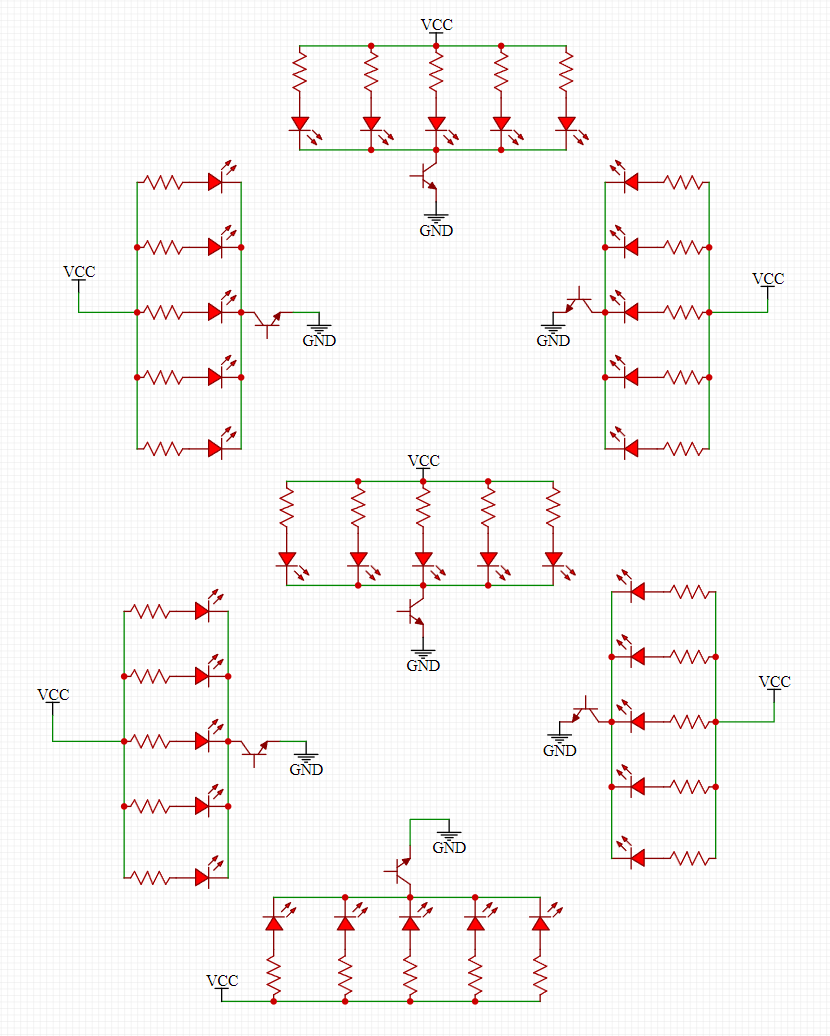
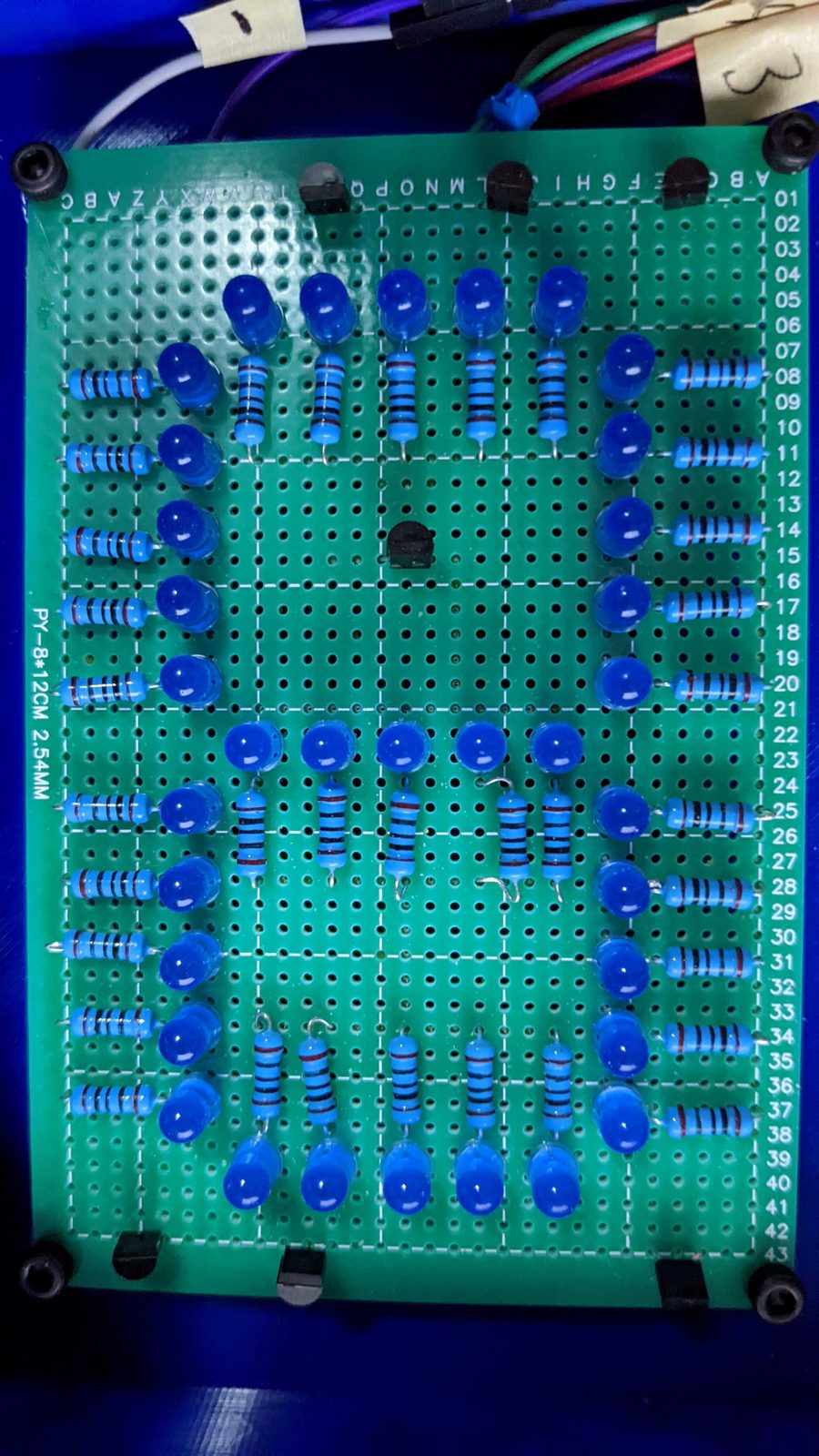
To do this, instead of a single discrete LED, 5 are used for each segment. To control all the LEDs in tandem, a simple NPN BJT is used for each segment.
To drive the LEDs it might be tempting to use a single small resistor for each segment, but this will result in current imbalances that will make the LEDs have different brightnesses.
Due to this limitation each LED has its own current limiting resistor.
The schematic and implementation for each 7-segment can be seen below:
7-Segment Clock Design
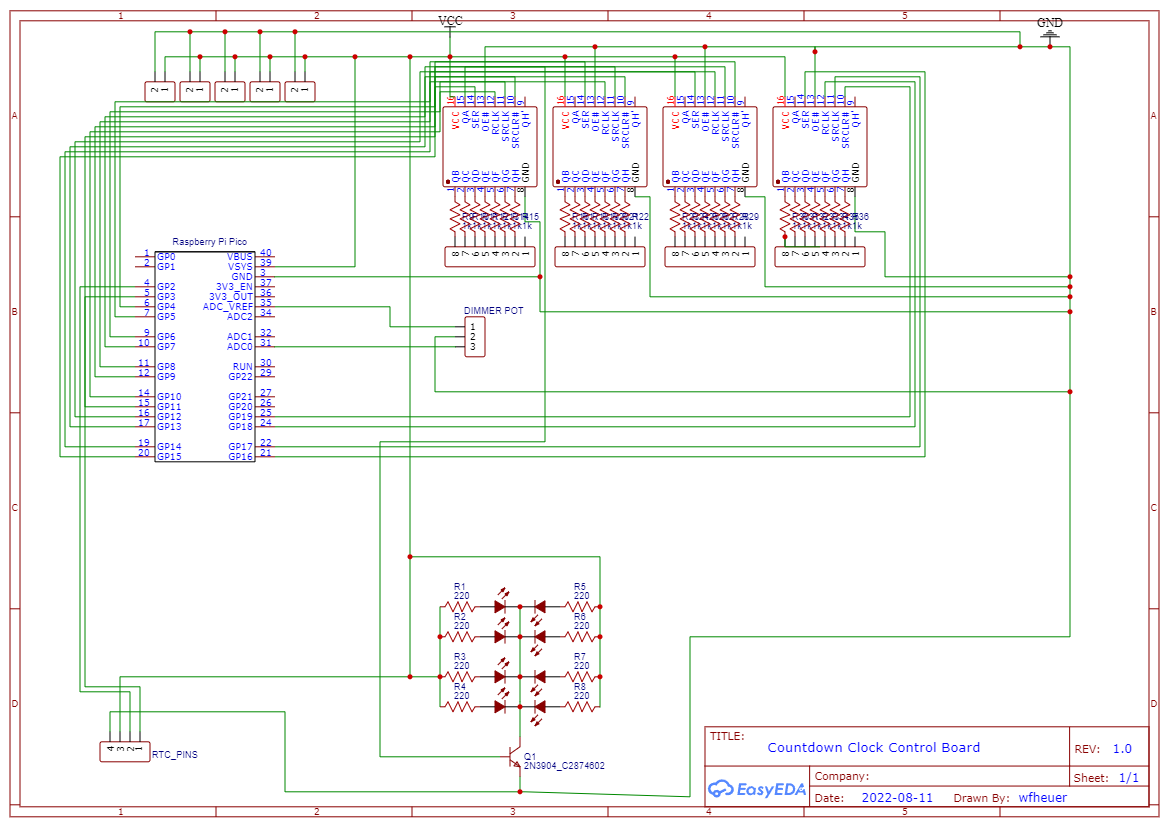
To demonstrate using the large 7-segment displays, a programmable clock was made. This clock uses a RTC to keep accurate track of the time and a Raspberry Pi Pico to drive everything.
Specifically, 74HC595N shift registers are used to limit the amount of GPIO ports needed to drive the 7-segment displays.
Additionally, a dimming potentiometer modulates the output to dim or brighten the lights, and a LED matrix represents a colon to indicate the separation between hours and minutes.
The final control schematic:
Due to the amount of LEDs in this design (148 total) a normal USB power supply will not suffice. At full brightness the max current draw is going to be ~2.5A.
A 5V 5A power supply is used.
Fabrication
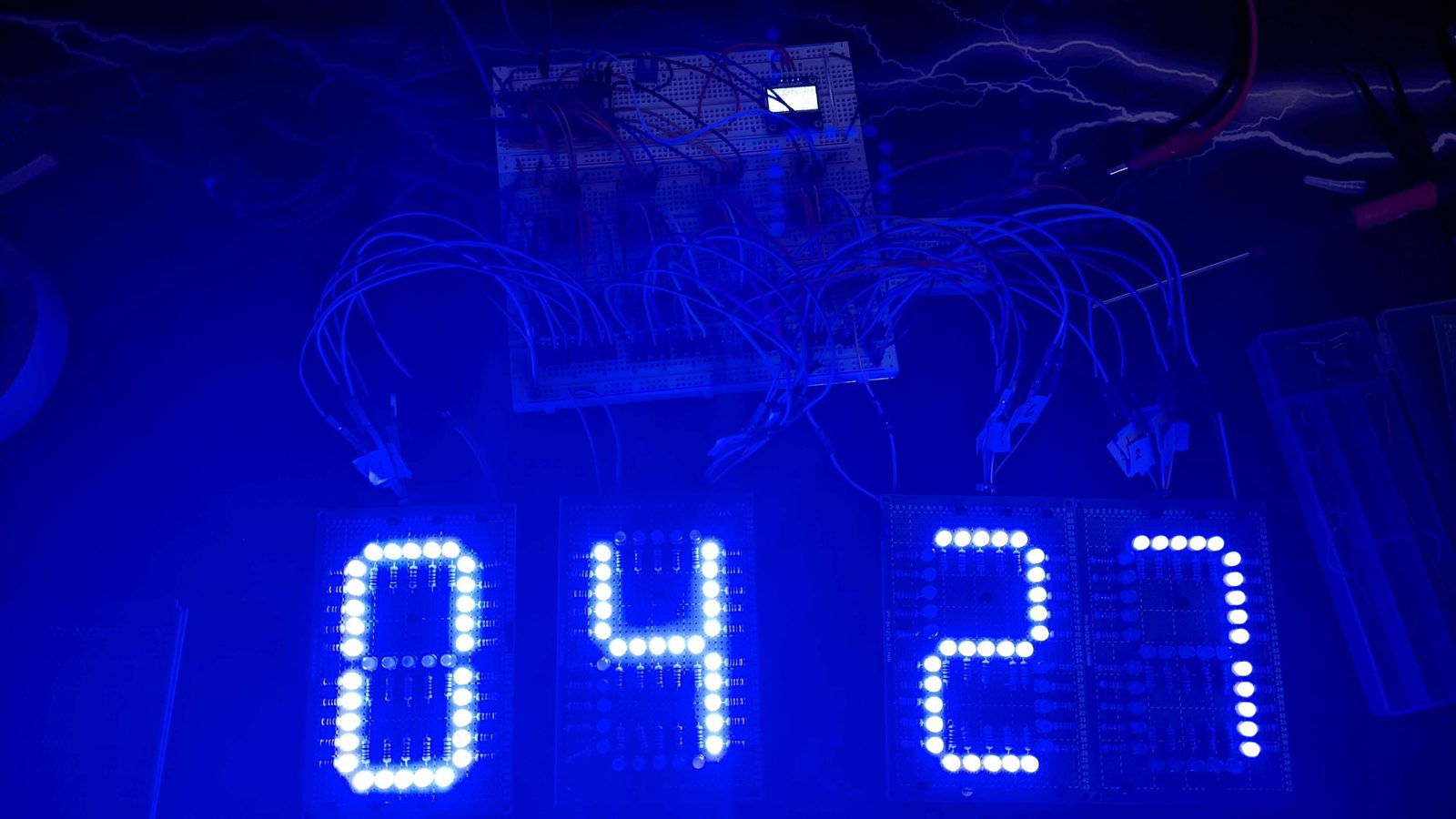
Before the design was moved further the software was written and the design was validated. With the help of the Raspberry Pi Pico SDK the software was quite simple.
Here is the result after laying the design out on a breadboard:
Due to the complexity of the control board, a PCB was created. Here is the layout:
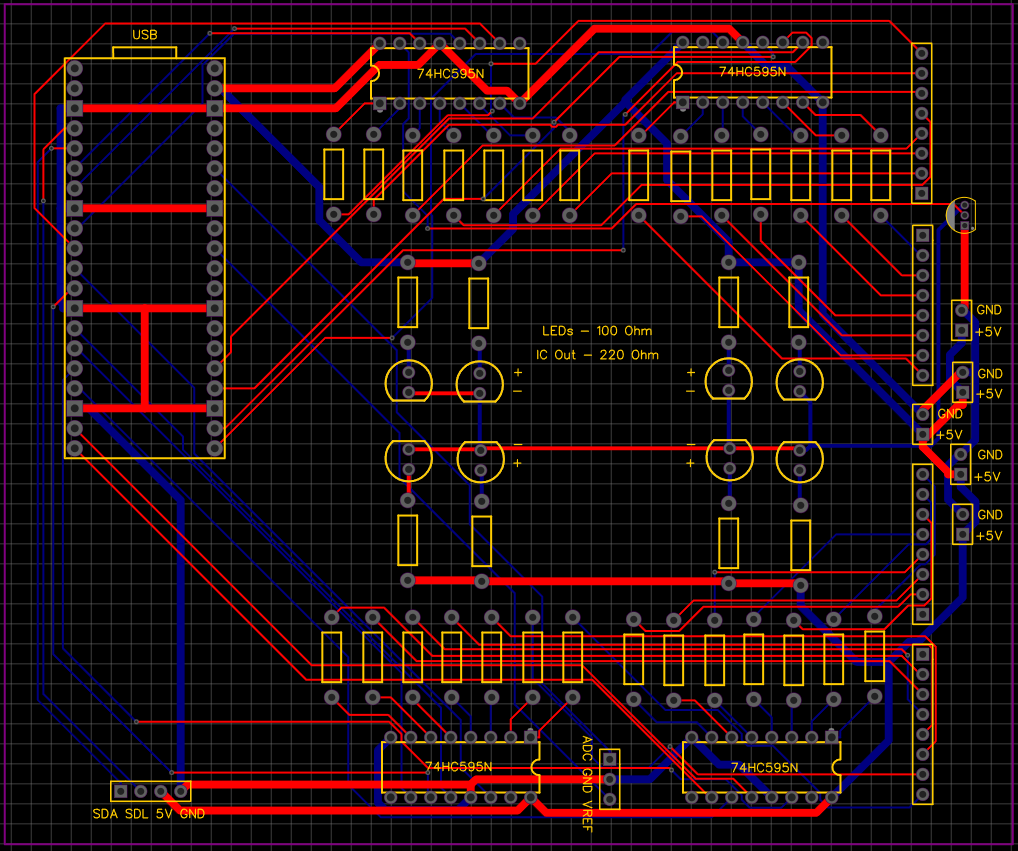
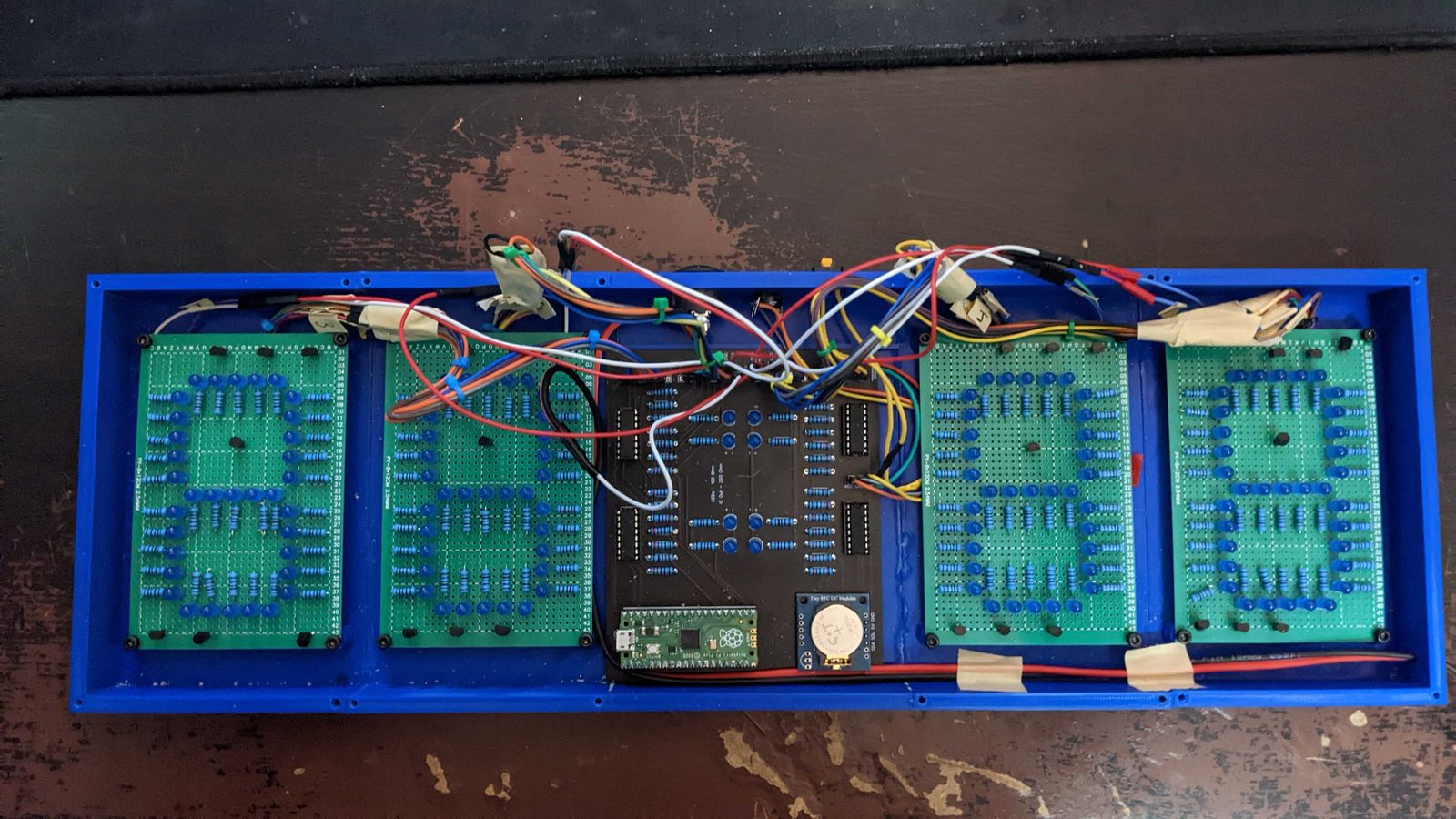
Once the PCB was received, a rectangular enclosure was constructed with a row of 7SEG – 7SEG – Control Board – 7SEG – 7SEG to give the time.
After many hours of 3D printing the housing looks like:
Conclusion
Due to time constraints the final design has not been completed, but the clock is fully functional.
The wires will be shortened and the top will be added, at which point the design will be fully complete.